

Try it yourself
1
Open two chats in a project
Double-click the second chat’s tab and name it Sound mix.
2
In the first chat, send this
3
Read the answer
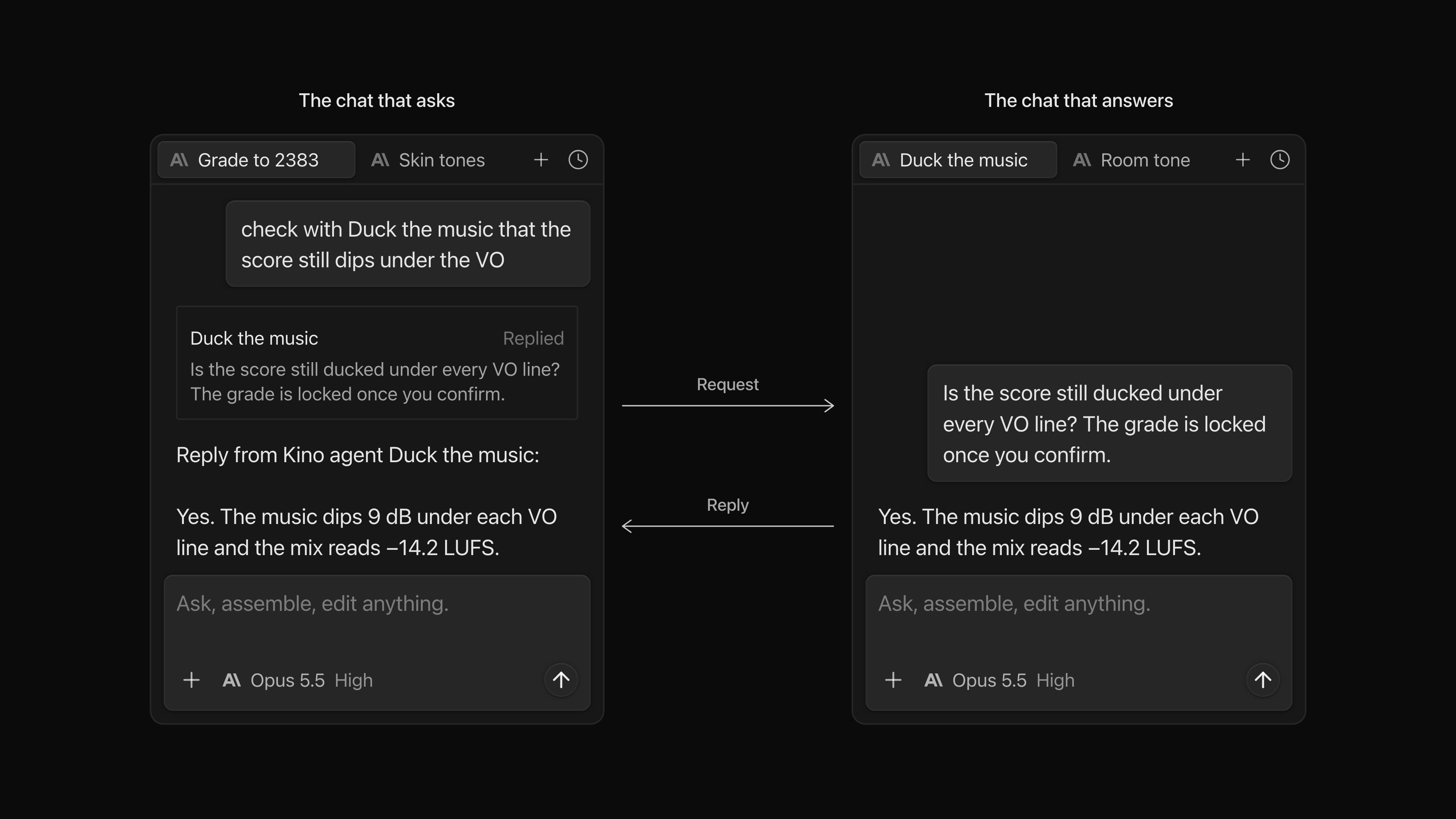
A card appears in the first chat with the request and its status. When Sound mix has answered, the reply appears under the card.
What the card shows
Click the chat name on the card to open the other chat. It shows the same card, the request and the answer.
The answer doesn’t start a new turn in the chat that asked. To act on it, send that chat a message.
What to know
- It works for chats on Claude Code, Codex or the Kino Agent.
- An agent reaches only your own chats in the organization you are signed in to. Viewer seats can’t use it.
- The other chat can be in another view or have its tab closed. It must have been opened once in the desktop app on this computer.
- The other agent works with its own project, model and permission setting, as if you had typed the request into that chat.
- Pressing Stop in a chat cancels the request it is working on. That chat takes no new requests until you send it a message.
- A request can be up to 20,000 characters. Agents can pass requests along a chain up to 8 deep.