

Inviting teammates
To invite someone to your organization:1
Click the organization switcher in the top left
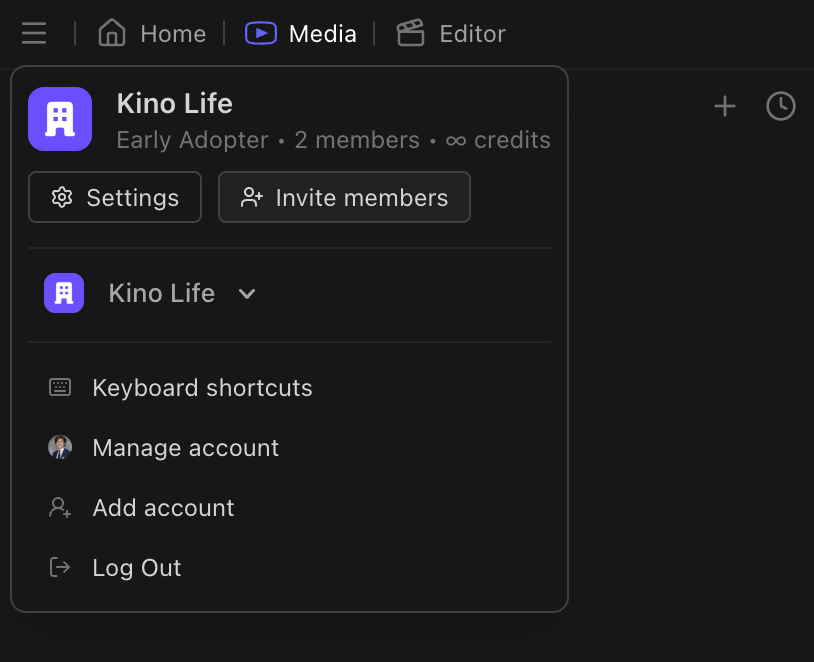
2
Click Invite members
3
Enter their email address
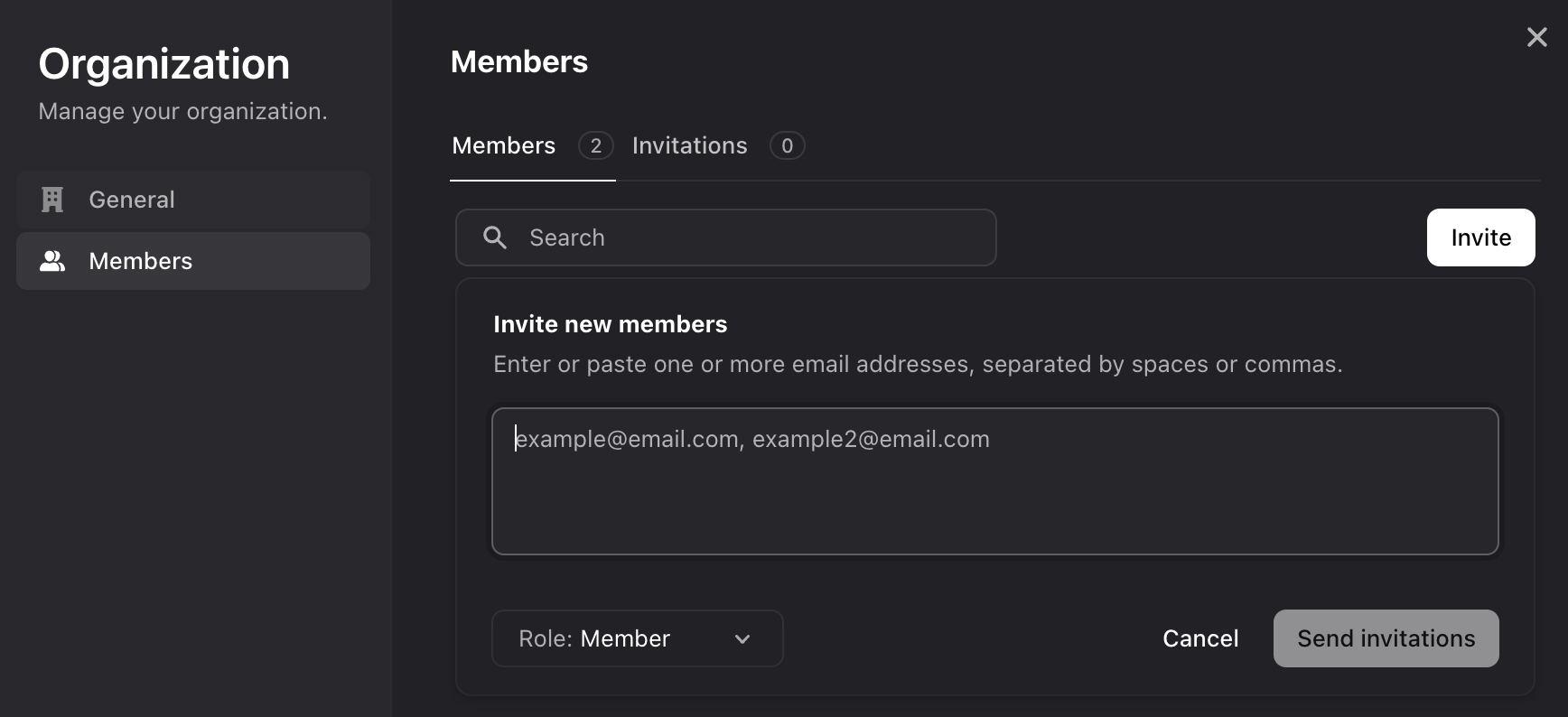
4
They'll receive an email with a link to join
Remind them to check their spam folder.
What teammates can see
Everyone in an organization shares:- All uploaded media
- All timelines and sequences
- All bins and playlists
- All chats
- All comments
- All motion graphics elements
Roles
What a member can do is set by their role:
Viewer seats are free on every plan, so clients and reviewers don’t cost anything to add. On a Pro organization, a Member or Admin adds a prorated seat to your bill once they accept the invite; see pricing for current rates.
Editing together
Multiple people can edit the same timeline at once. Avatars show who’s in the project with you. Changes sync instantly. If someone adds a clip while you’re trimming another, you’ll see it appear. No saving, no refreshing.Everything is a URL
Your timeline is a URL. Copy it from your browser’s address bar and send it to a teammate. No exporting project files. No “MEDIA OFFLINE” errors. No version conflicts. Just a link. You can share:- Timelines:
kino.ai/org/project/timeline-id - Individual clips in the media browser
- Search results
- Specific moments with timecode in the URL