

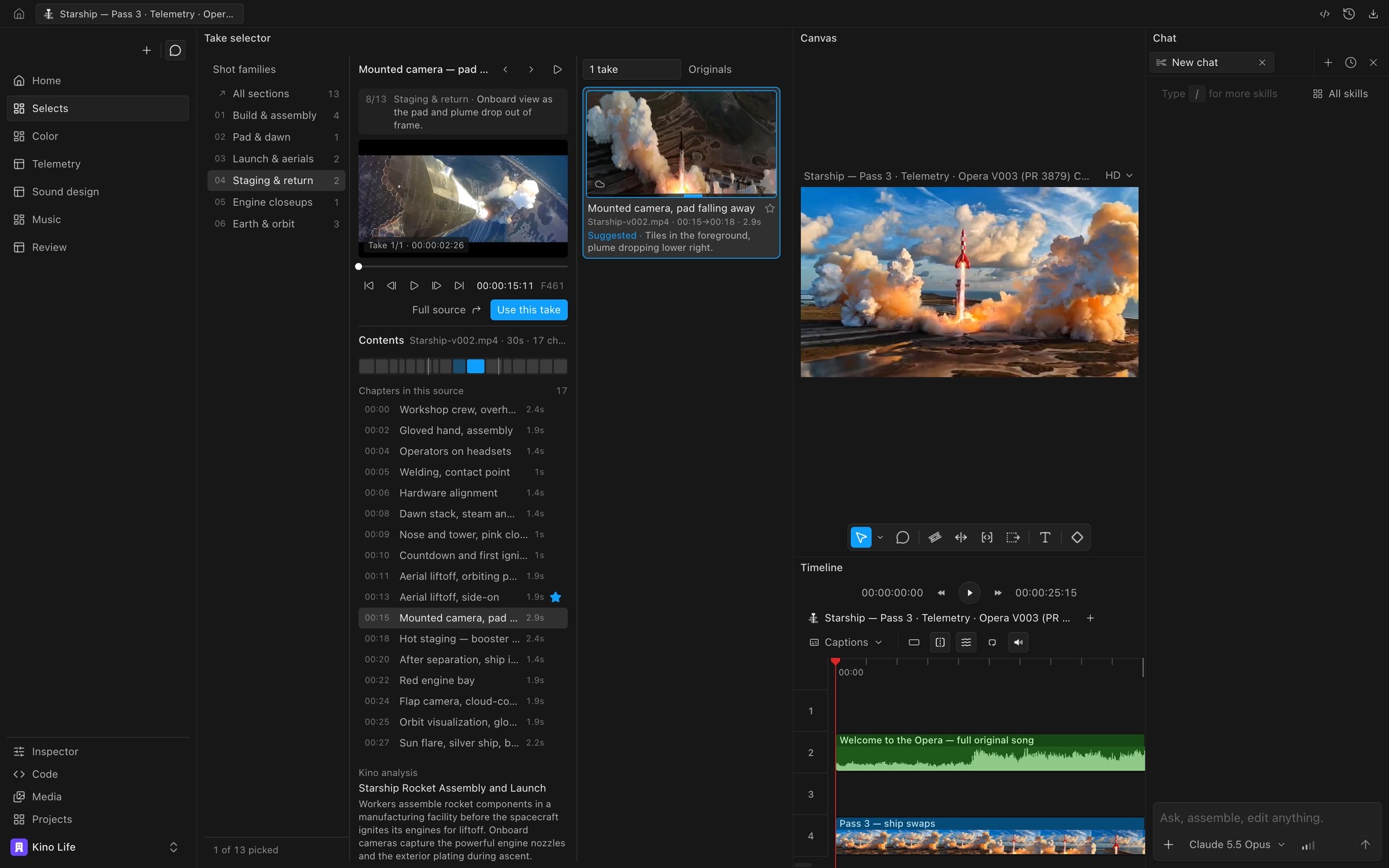
A take selector panel built for this project. It groups shots into families, previews each take, and places the chosen take on the timeline.
Before you start
Go to Settings > Experimental > Dynamic panels (see Panels). The agent cannot turn it on for you; if it is off when you ask for a panel, the agent asks you to turn it on.Ask the agent for a panel
Describe the tool you want in chat. For example:- “Build a panel with a waveform, vectorscope and RGB parade for the frame at the playhead.”
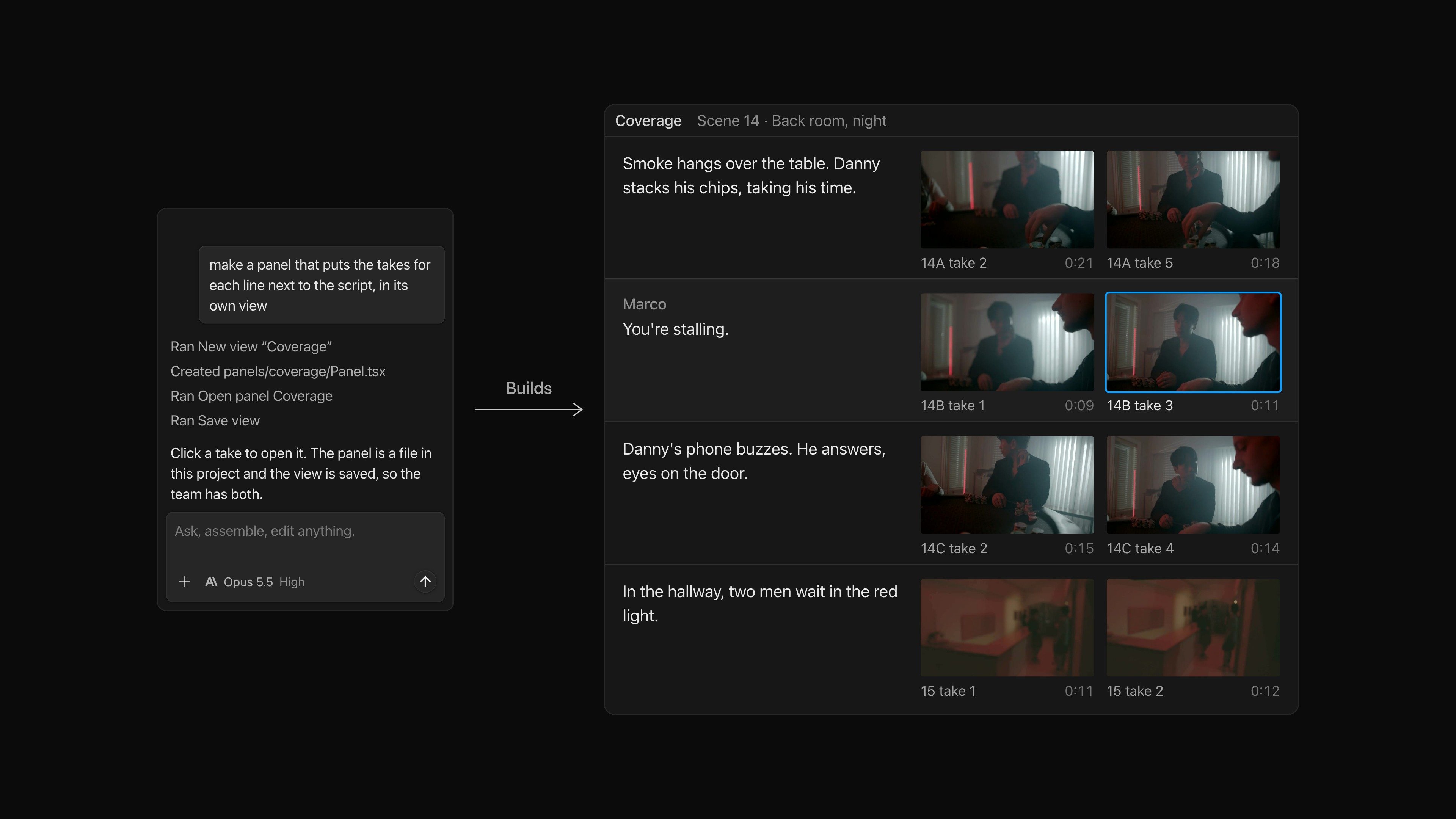
- “Make a panel that lists the takes for each shot so I can pick one and put it on the timeline.”
- “Give me a music panel that shows the soundtrack clips and lets me change their volume and fades.”
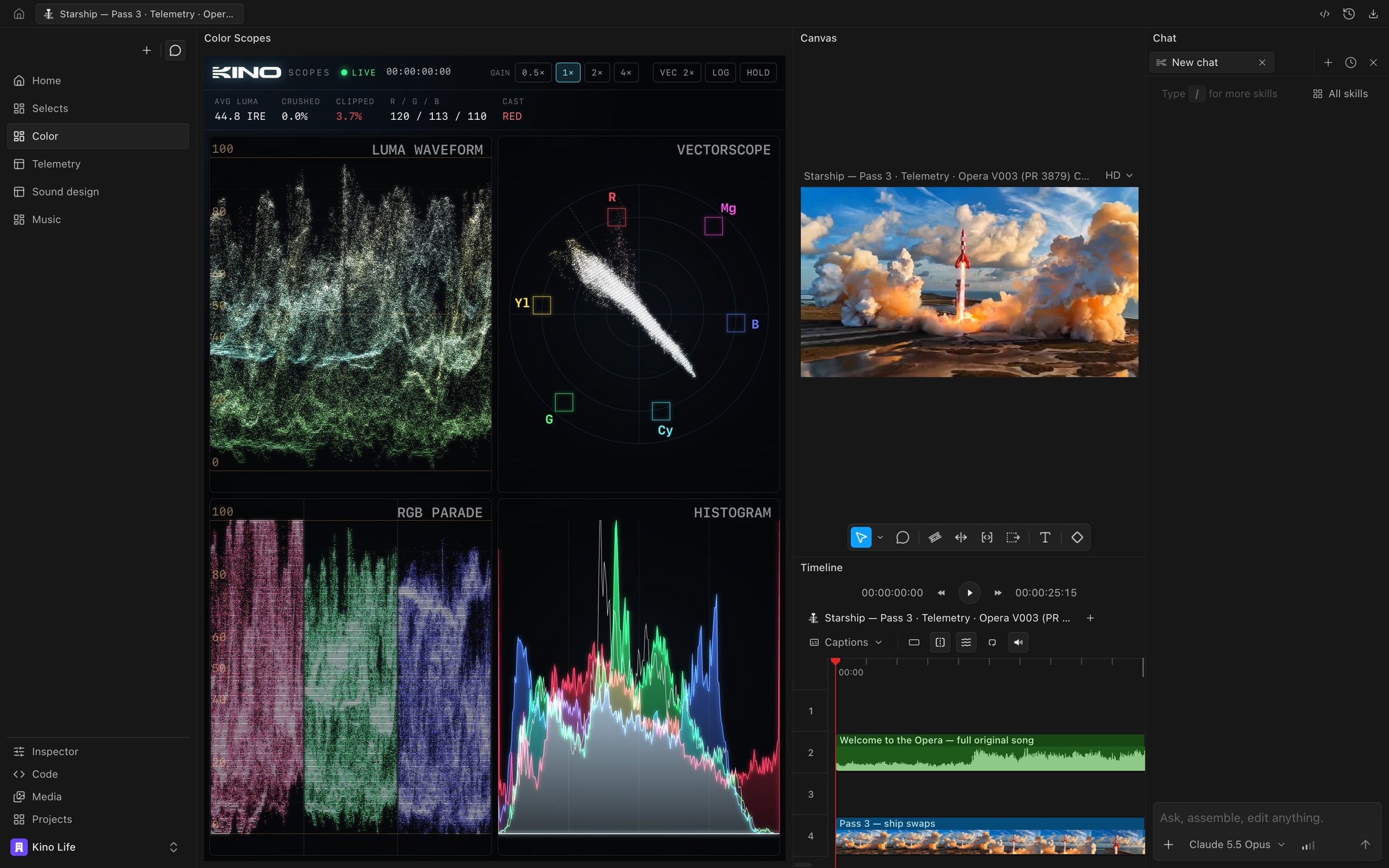
A Color Scopes panel reading the frame at the playhead
What a panel can do
A panel can:- Read the selected clips, the timeline, the playhead position and the transcript.
- Play, pause and seek the player.
- Show your media library, the source viewer, media cards and a media picker.
- Change properties of the selected clip, such as volume, using the inspector’s controls.
- Edit the project’s source, with each change recorded in project undo.
- Run any Kino action that the command menu can run.
- Remember its own settings, such as which scope is showing, for each view.
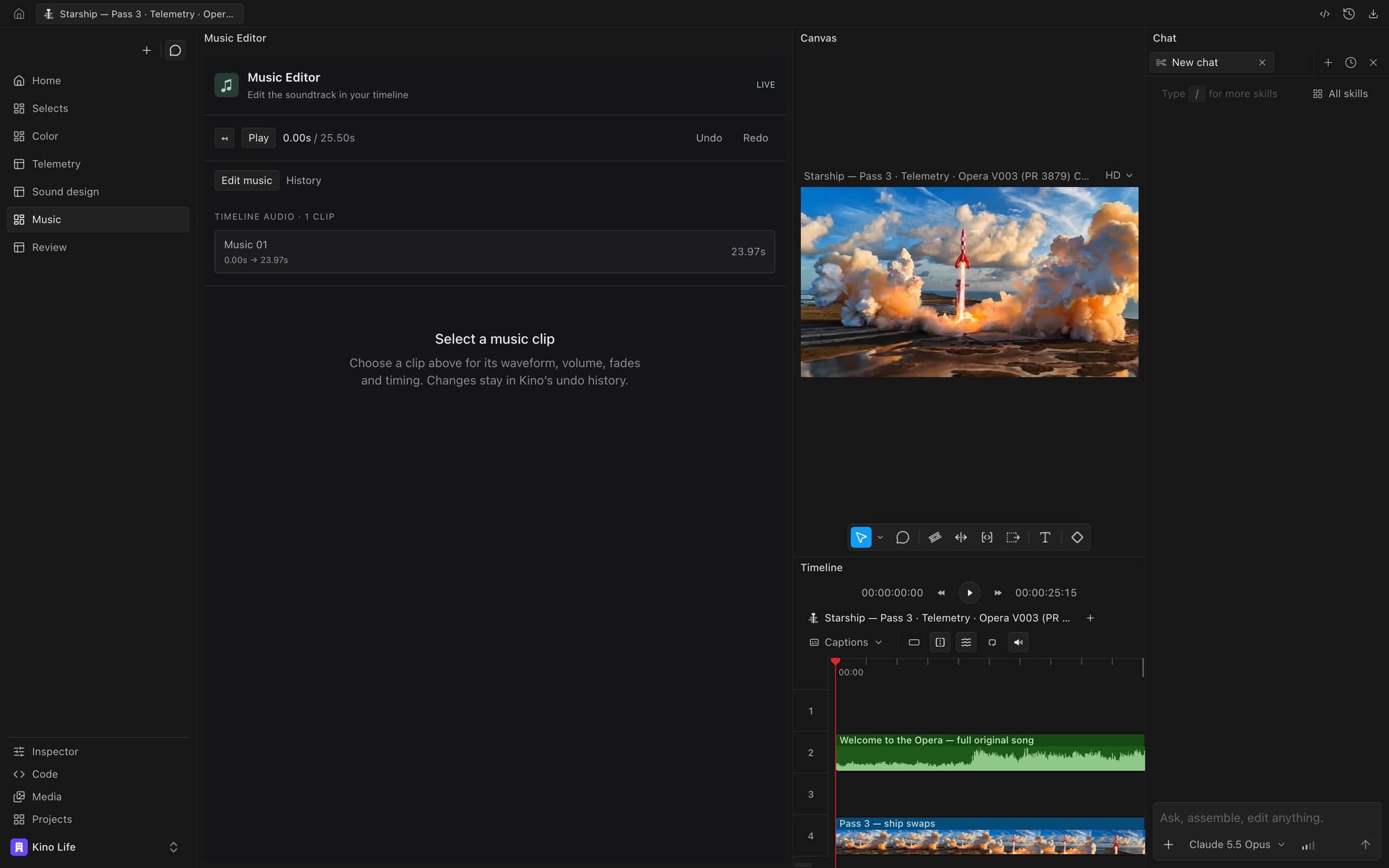
A Music Editor panel listing the soundtrack clips on the timeline
Open and close panels
Hover over a view in the rail, click its layout button, and open Panels. Built-in panels are listed first and custom panels below them. A check mark shows which panels are open in the current view. Click a panel to open or close it.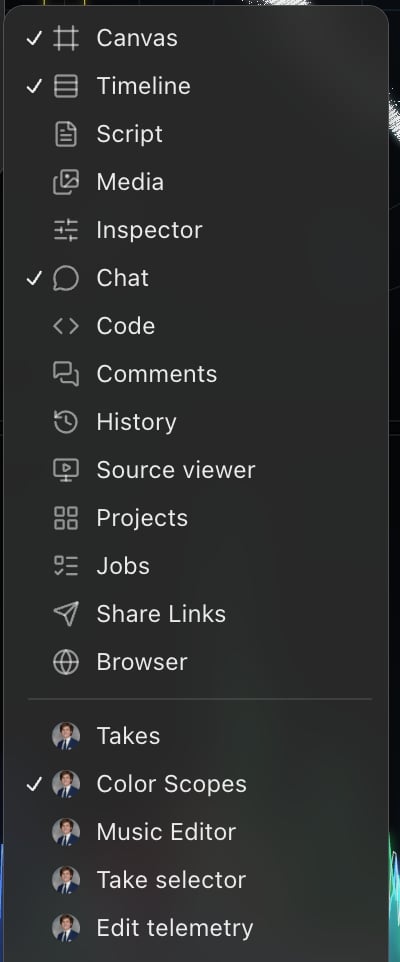
Move, reload and delete a panel
Drag a panel by its header to dock it somewhere else. Click … in the header for the panel’s menu: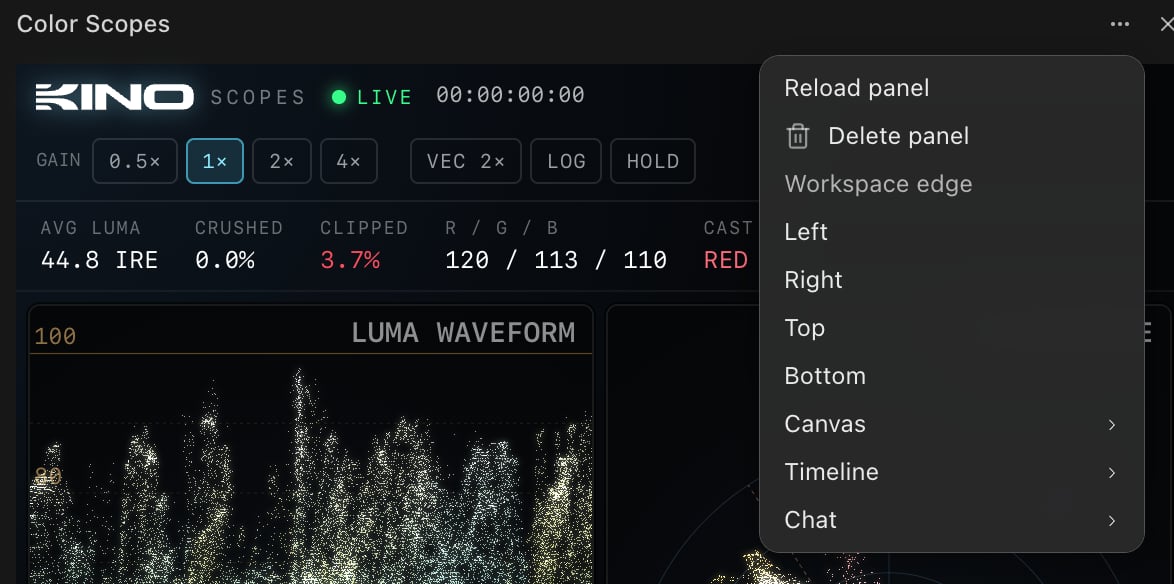
- Reload panel loads the panel again from its saved code.
- Delete panel removes the panel from the project. Project undo brings it back.
- Workspace edge and the panel names below it move the panel to an edge of the workspace or next to another open panel.
Use your teammates’ panels
Panels that anyone on your team builds, in any project, are added to the team’s panel library automatically. Team panels appear at the bottom of the Panels submenu with the picture of the person who made them. Click one that isn’t in your project yet to add a copy to the project and open it. Editing the copy doesn’t change the original. Viewer seats can’t add team panels. You can also ask the agent to find a team panel and add it to the project. When you copy a team view into a project, the custom panels it uses are copied with it.Where a panel is stored
A panel’s code is stored in the project, in a folder under/panels/. It follows the project’s undo and version history.